

AA Leaders#
AA Leader Properties#
Show/Hide leader_aa Attributes
- im
PIL image handle, link to the calling program
- dr
PIL drawing handle, link to the calling program
- at
Coordinates on object
- angle
Angle of first extension line, changes leader orientation
- extA
Length inclined extension line, default 20
- extB
Length horizontal extension line, default 20
- text
Dimension text
- font
Font of the text
- fill
Line colour, RGB tuple
- back
Background colour, RGB tuple
- arrowhead
Three integer tuple describing the shape and size of the arrow
- arrow
position of the arrow on the line, which influences the direction it points.
Upper Leader
Lower Leader
- Left position
225°
- Right position
315°
- Left position
135°
- Right position
45°
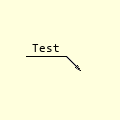
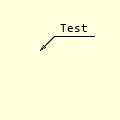
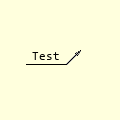
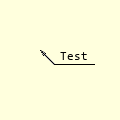
Leaders allow us to refer to a specific item property not easily shown by normal dimensions or general decriptive notes.
The leader example has a single arrow on an angled line with a horizontal line over which the text is placed.
Changing the angle gives different leader orientations. It is better to use angles between 30 and 60° in each of the quadrants.
Show/Hide Code test_leader_aa.py
import sys
sys.path.append('../dims')

from PIL import Image, ImageDraw, ImageFont
from DimLinesAA import LineAA, dimension_aa
from DimLinesPIL import angled_text, polar2cart


def leader_aa(im, dr, at, angle=315, extA=20, extB=20, arrowhead=(3,5,1),
            arrow='first', fill=(0,0,0), text=None, font=None, back=(255,255,221)):
    # leader to object, angle and length (extA) first part, then goes horizontal
    # for second part (extB). Only one arrow where leader points.
    # start at,

    #font = ImageFont.load_default() if font is None else font
    font = font if font else ImageFont.load_default()
    # (wide, height) = font.getsize(text)
    unused1, unused2, wide, height = font.getbbox(text)

    h = height // 2

    if wide > extB:
        print('extB was increased from:',extB,'to accommodate the text',wide+10)
        extB = wide+10

    # dimension line
    phi = 180 if 90 < angle < 270 else 0
    ptB = polar2cart(at, angle, extA)
    ptC = polar2cart(ptB, phi, extB)
    ptD = polar2cart(at, angle, arrowhead[0])
    dimension_aa(im, dr, at, ptB, arrowhead=arrowhead,
              arrow=arrow, fill=fill, back=back)
    LineAA(dr, ptB, ptC, fill=fill, back=back)
    LineAA(dr, ptB, ptD, fill=fill, back=back)

    # text position
    tp = ((ptB[0] + ptC[0])//2, ptB[1] - h - 5)

    angled_text(im, tp, text, 0, font)

if __name__ == "__main__":
    Text = 'Test' #'y+ε+m'

    Font = ImageFont.truetype('consola.ttf', 12)
    # (wi, ht) = Font.getsize(Text)
    unused1, unused2, wi, ht = Font.getbbox(Text)

    eb = wi + 10
    Back = (255,255,221)
    image2 = Image.new('RGB', (120, 120), Back)
    # Get drawing context
    ldraw = ImageDraw.Draw(image2)

    lat = (80, 50)
    a = 135
    Fill = (0,0,0)
    leader_aa(image2, ldraw, lat, angle=a, extB=40, text=Text, font=Font,
            fill=Fill, back=Back)

    image2.show()
    #image2.save('../../temp/leader'+str(a)+'.png')